Announced 15 Oct 2026 · Sources checked
What Krea released
Krea, the company behind the krea.ai creative app, published Introducing Krea 3 on 15 October 2026. Krea 3 is the company's new in-house image editing model, following its Krea 2 image model, and the post says it is live that day on krea.ai for what Krea describes as its 30 million users.
It is also available on day one through six outside platforms: fal, Hedra, Together AI, Nous Research, OpenRouter and Replicate. The same day, Krea's developer changelog opened the Krea 3 API in early access for workspaces in the Krea 3 beta, added a zero data retention option for enterprise customers, and renamed the model's thinking modes.
Krea's press kit gives 12 October as the launch date, while the launch post with pricing and availability is dated 15 October, which is the date we use here. The release lands the same day as another notable image model, Black Forest Labs' open-weights FLUX 3 Image Klein, which takes the opposite approach of downloadable weights.
What Krea 3 is built to do
Krea's argument is that image editing crossed a quality line in the past year and is now used for real production work, such as putting products into new scenes, swapping materials and colours, and making campaign variants. The problem, it says, is that the best editing models also got slower and more expensive, which is fine for one hero image and painful for a whole catalogue.
So Krea 3 is pitched on two things: speed, and leaving alone what you did not ask it to touch. Krea says that when you change the setting around a product, the label and logo stay sharp, and when you give it a face and an outfit, the person in the next image is still the same person. Its examples include turning a packshot on white into a campaign photo, swapping only the sofa, chairs and table in a room while keeping the rug, the view and a woman reading in the corner, and turning a technical drawing into photoreal product renders carrying a 'K3 Kola' label.
It also follows detailed briefs. In one example a line drawing of a restaurant and a flat palette of six colours became a finished architectural photograph with each colour where the brief put it. Krea says the model keeps Krea 2's eye for style, so it can edit paintings, vector art and ink drawings and keep them in their own medium, and it can keep a cast of characters consistent across new poses and streets. Krea 3 also handles plain text-to-image generation.
Speed and price, by Krea's numbers
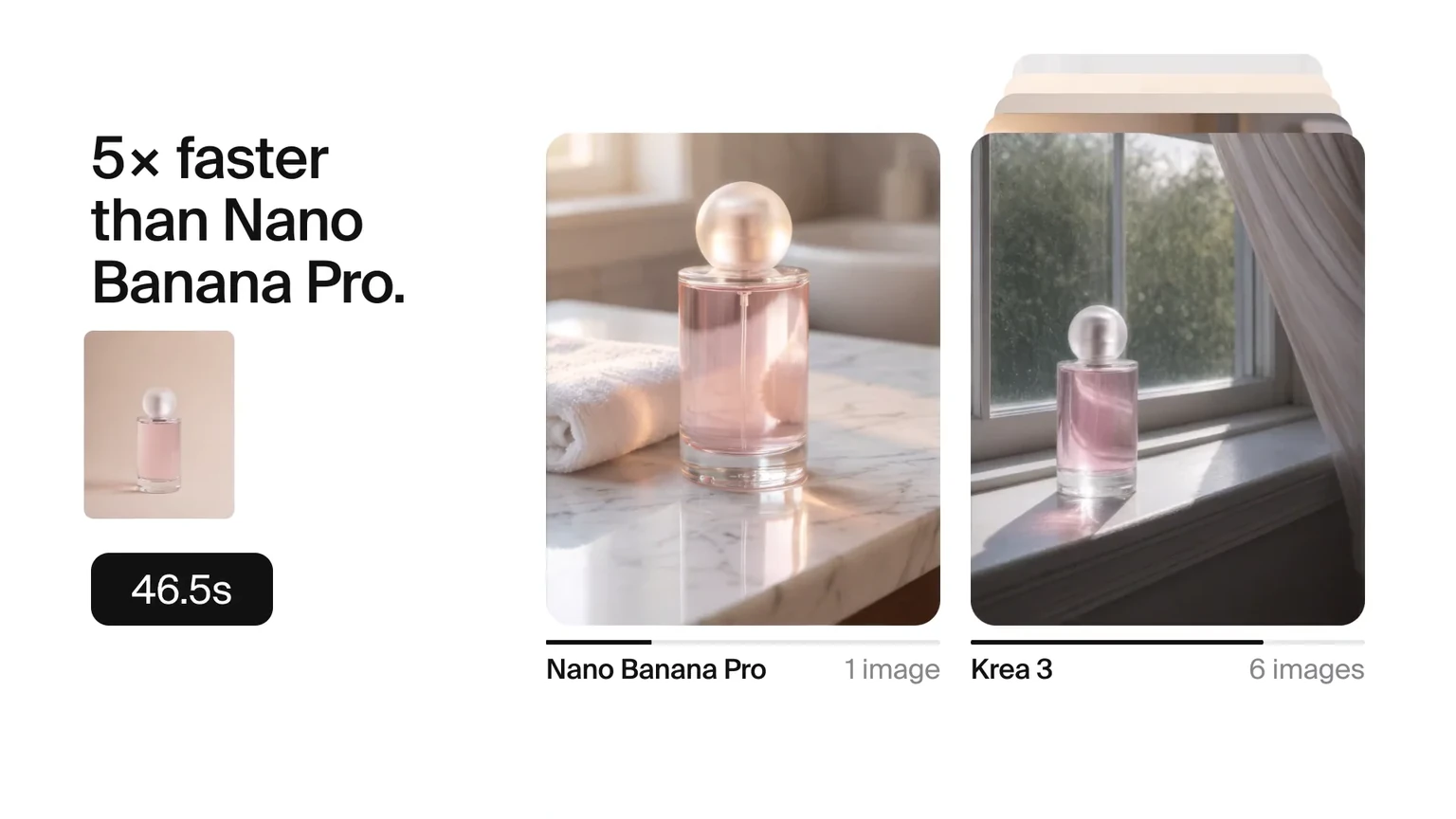
The numbers in the launch post are Krea's. It says Krea 3 returns most edits in under 8 seconds, end to end, at native 2K. For comparison it gives median times for edit jobs run on Krea's own platform between 24 September and 1 October 2026, queue included: 27 seconds for Nano Banana 2, 33 seconds for Nano Banana Pro, and 90 seconds for GPT Image 2.
On price, Krea lists Krea 3 at $0.06 per image at 2K, against list prices of $0.135 for Nano Banana Pro and $0.22 for GPT Image 2, all without reference images. At 100,000 edits a month, it works that out as about $6,000 for Krea 3, $13,500 for Nano Banana Pro and $22,000 for GPT Image 2. A 1K image costs $0.03.
Those are fair-sounding comparisons with a clear method, but they are still a vendor measuring its own product on its own infrastructure, with rival models running through its platform rather than their makers' fastest setups. They also compare speed and price, not quality. Krea's quality case rests on its example images, all made with Krea 3, plus quotes from an a16z partner and from Pixelcut, a photo-editing app that tested early checkpoints with its users.
Using Krea 3 in the app and the API
In the krea.ai app, Krea 3 takes up to 6 reference images per edit and outputs at native 2K. Enterprise teams can ask Krea for access through its partnerships team. For developers, the changelog describes a slightly different API: up to 8 reference images per request, output at 1K or 2K, and a choice of two thinking modes, fast for everyday edits and high for complex, multi-step edits.
The API also has regional edits, which change only part of an image and keep the rest pixel-exact, so edits can be chained without the gradual quality loss that comes from regenerating a whole image each time. Access is limited for now: the API is open to workspaces in the Krea 3 beta, and others are told to contact Krea's sales team. The partner platforms are the simpler route for most developers today.
Two housekeeping notes for anyone already testing. Enterprise workspaces can use Krea 3 with zero data retention, but references must then be sent inline as base64 data and are limited to 4 per request. And the legacy thinking-mode values are being retired: requests should send fast instead of instant and high instead of medium, because the old names will be rejected after 23 October 2026.
How Krea says to prompt it
Krea's launch post includes a short prompting guide that is useful beyond this model. Start with what should stay the same, and name what matters, such as the label or the logo. Then describe the change the way a photographer would, in terms of scene, light and camera.
With several images, say what each one is for, for example that image 1 is the room and image 2 is the sofa. And use the word 'only' when an edit should touch one thing, as in 'remove only the woman in the red coat'. Krea also suggests that a marker sketch, a moodboard or an old Polaroid can be a faster brief than a paragraph, since the model follows a drawn layout closely.
That advice lines up with what we saw when testing other image models: in our comparison of Google's Nano Banana 2.1, the way a prompt is written changed results as much as the choice of model did. Being explicit about what to preserve is the part most people leave out.
Why a fast editor matters
Speed changes how people use an editor. Krea's case is that at under 8 seconds per edit you stop planning prompts carefully and start trying things, looking at four or five results while a slower model is still finishing one. For e-commerce and marketing teams editing thousands of product images, price per image matters just as much, and Krea is pitching a model cheap enough to run on every image in a catalogue.
It also marks Krea moving further from being only a front end for other companies' models. Krea's app still offers outside models such as Nano Banana, Seedance, Veo and Kling, but Krea 3 is its own, and it competes directly with the models Krea resells. That puts it in a crowded field with Google's Nano Banana line, OpenAI's GPT Image 2 and Alibaba's Qwen-Image 2.1, all of which are fighting over the same production editing work.
Krea is open about what it has not solved. It says Krea 3 is not real time yet, with its fastest setup finishing an edit in about 4 to 5 seconds, and that it wants more resolution for less compute and support for other ways of asking, such as circling part of an image or writing the instruction on it.
What to keep in mind
Every speed and price figure in the launch comes from Krea, measured on Krea's platform, and the quality claims rest on Krea's own examples. AI Lookout has not tested Krea 3, and there are no independent benchmarks yet. Small details also differ between Krea's pages: the app allows 6 reference images and the API 8, and the press kit gives an earlier launch date than the blog.
Krea 3 is a hosted model with no downloadable weights, so it suits teams that are happy to send images to Krea or a partner. Teams that need to keep images in-house have the zero data retention option on enterprise plans, or open-weights alternatives they can run themselves.
Common questions
How much does Krea 3 cost?
Krea lists Krea 3 at $0.06 per image at 2K and $0.03 per image at 1K. Krea puts 100,000 edits a month at about $6,000 at the 2K price.
Where can I use Krea 3?
On krea.ai, and through fal, Hedra, Together AI, Nous Research, OpenRouter and Replicate. Krea's own API is in early access for workspaces in the Krea 3 beta; others can contact Krea's sales team.
How many reference images does Krea 3 take?
Up to 6 per edit in the krea.ai app, according to Krea's launch post, and up to 8 per request in the API, according to its changelog. With zero data retention on, the API limit is 4.
Sources & further reading
How this story was made
Written by Kristian Kostov with AI assistance and checked against the linked sources. Company performance claims are attributed to the company. Analysis reflects AiLookout’s interpretation; we have not independently tested the products discussed. The cover places the companies’ own logos, taken from public-domain or openly licensed files credited in the caption, on a plain background. It is not a product photograph, a screenshot, or an endorsement.
Our editorial standards