Announced 13 Oct 2026 · Sources checked
What did Hugging Face announce on 13 October?
Hugging Face published a dated blog post on 13 October 2026 introducing Llama Windows as the Windows counterpart to llama.app on macOS. The pitch is explicit: llama.cpp is already the default engine for local open models, and GGUF is the Hub’s standard local format, but on Windows the first-run path still meant picking a binary, choosing a quant, and launching a server with flags.
Llama Windows collapses that path into a native WinUI 3 app that lives in the notification area. Hugging Face says there is no terminal, no build step and no admin rights. The download page is llama.app; the code is on GitHub under ggml-org/Llama-Windows under the MIT License with a 2026 Hugging Face copyright notice.
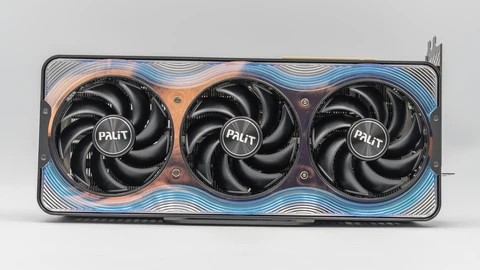
The announcement also ties the app to hardware Hugging Face has been tracking with NVIDIA: it ships with native support for Windows on Arm and for the NVIDIA RTX Spark local AI PC, so the same tray flyout that works on a laptop can drive Spark’s GPU through llama.cpp without a separate setup guide.
How does Llama Windows put llama.cpp in the tray?
On launch, the app either connects to a llama.cpp server that is already running or starts the one it manages. If none is installed, it installs llama.cpp with the official installer — still without admin rights, according to the blog.
Clicking the llama icon opens a compact flyout above the tray. There is no ordinary taskbar window to manage. A right-click opens or exits the app. Hugging Face also documents an overlay: press Alt+Space from anywhere to start chatting with the loaded agent.
The Recommended Models panel lists ready-to-run quantized builds from the Hub, each showing parameter count, on-disk size and whether vision is supported, so you can pick a model that fits your PC before the download starts. The Available panel lists models already on disk, with load and unload controls and an in-place status as the server works. Opening the llama.cpp web UI starts a chat once a model is loaded.
How do you download models and call the local server?
Downloads land in the standard Hugging Face cache at %USERPROFILE%\.cache\huggingface\hub, shared with llama.cpp and other Hub tools, so a model downloaded once can be reused elsewhere. Settings accept a Hub access token for gated or private repos and can move the cache to another drive.
The managed server listens at http://localhost:9931 with an OpenAI-compatible API. Hugging Face’s example uses the official OpenAI Python client with base_url http://localhost:9931/v1 and a dummy API key. A curl call to /models lists what the server currently has available. Daily logs are kept for seven days under %LOCALAPPDATA%\LlamaApp\logs.
That local-server design puts Llama Windows in the same neighbourhood as other on-device stacks we have covered, from BaseCompute’s Superfluid local LLM server to smaller GGUF-focused apps, but the Hub-integrated catalog and the tray-only UI are the parts aimed at first-time Windows users rather than MLOps teams.
Hugging Face stresses privacy: once models are on disk, prompts and chat stay on the machine and do not require an internet connection for inference. That claim is about the local path; Hub downloads and gated-token checks still need network access when you fetch weights.
What does day-one NVIDIA RTX Spark support mean?
The blog’s hardware section is short but specific. Llama Windows runs natively on Windows on Arm, and llama.cpp runs models on the RTX Spark GPU. Hugging Face says it worked with NVIDIA so the app would be ready for Spark on day one, and it points readers to NVIDIA’s own local-AI writing on Spark.
RTX Spark has already shown up in NVIDIA’s October product posts alongside DLSS 5’s lighter neural-rendering path and earlier DGX Spark coverage; Llama Windows is the first Hub-fronted Windows tray client that names Spark as a launch target rather than a later port.
What the announcement does not include is a side-by-side benchmark: no tokens-per-second tables, no power figures, and no comparison against LM Studio, Ollama’s Windows builds or a raw llama.cpp server on the same Spark unit. Treat the Spark support as a compatibility claim grounded in the joint work Hugging Face describes, not as a performance ranking.
How does this compare with other local AI apps?
The local-AI Windows market already has serious options. Ollama, LM Studio, GPT4All and vendor-specific runtimes all load GGUF or similar formats. Llama Windows’ differentiator is less a new engine than a Hub-native tray experience: recommended Hub quants, shared Hub cache, gated-token Settings, and a server that other apps can call without leaving llama.cpp.
For readers who already live in GGUF land — for example people running compact local GGUF models such as Underdog Saluki — the useful question is whether the tray app reduces setup friction enough to become the default launcher, not whether it invents a new quant format.
Builders get the same localhost server the UI uses, which is the practical bridge to agents and scripts. Users who only want a chat box get the flyout and Alt+Space overlay. That split — friendly front end, unobtrusive local API — is the product bet.
What is open source, and what is still unclear?
The repository is MIT-licensed and public. Hugging Face invites issues and pull requests and lists the stack as a WinUI 3 app plus .NET libraries for the llama.cpp server, Hub client and model catalog.
Still open after the blog post: how often the managed llama.cpp binary updates relative to upstream releases; whether vision models in the Recommended list use the same server flags as text models; what happens on Windows 10 (the post specifies Windows 11); and whether enterprise policies that block unsigned tray apps will need a separate distribution channel.
Also unresolved for buyers of RTX Spark machines is exclusive performance guidance — Hugging Face points at NVIDIA’s blog rather than publishing its own Spark numbers inside the Llama Windows post.
What should local-AI users do with this?
If you already run llama.cpp on Windows by hand, Llama Windows is optional convenience: try the tray flyout and see whether the Hub catalog and shared cache beat your current script. If you have never loaded a local model, it is one of the cleaner first-run paths published for Windows 11 — download from llama.app, pick a recommended quant, load, chat.
If you are evaluating RTX Spark or Windows on Arm devices for private inference, this is a concrete software checkpoint: a Hub vendor is shipping a day-one tray client rather than leaving Spark owners on raw CLI instructions. Verify GPU utilisation yourself; the announcement does not replace a stopwatch.
Common questions
Is Llama Windows free?
Yes. Hugging Face describes it as free and open source under the MIT License on ggml-org/Llama-Windows. Model weights you download follow each model’s own licence on the Hub.
Does it send prompts to Hugging Face?
Hugging Face says inference stays on the machine and needs no internet once models are downloaded. Downloading models from the Hub and using a token for gated repos still use the network.
Can other apps use the same models?
Yes. The managed llama.cpp server exposes an OpenAI-compatible API at http://localhost:9931, and weights sit in the shared Hugging Face Hub cache.
Sources & further reading
How this story was made
Written by Kristian Kostov with AI assistance and checked against the linked sources. Company performance claims are attributed to the company. Analysis reflects AiLookout’s interpretation; we have not independently tested the products discussed. The cover places the companies’ own logos, taken from public-domain or openly licensed files credited in the caption, on a plain background. It is not a product photograph, a screenshot, or an endorsement.
Our editorial standards