Announced 15 Oct 2026 · Sources checked
What is ESP32 iPhone Agent?
Most AI agents that “use a phone” rely on Android debugging hooks or on Apple’s developer tooling running on a Mac. ESP32 iPhone Agent, published on GitHub by the developer behind the onehumanbeing account, takes a hardware route instead. Its README promises to “let an AI model use a real iPhone with a $7 ESP32,” with no computer and no jailbreak.
The repository was created on 11 October 2026 and had about 2,270 stars and 303 forks when we checked it on 15 October. It is MIT-licensed except for the AirPlay receiver code, which is ported from the open-source UxPlay project and therefore GPL-3.0; the firmware binary that links it is distributed under GPL-3.0 as a result.
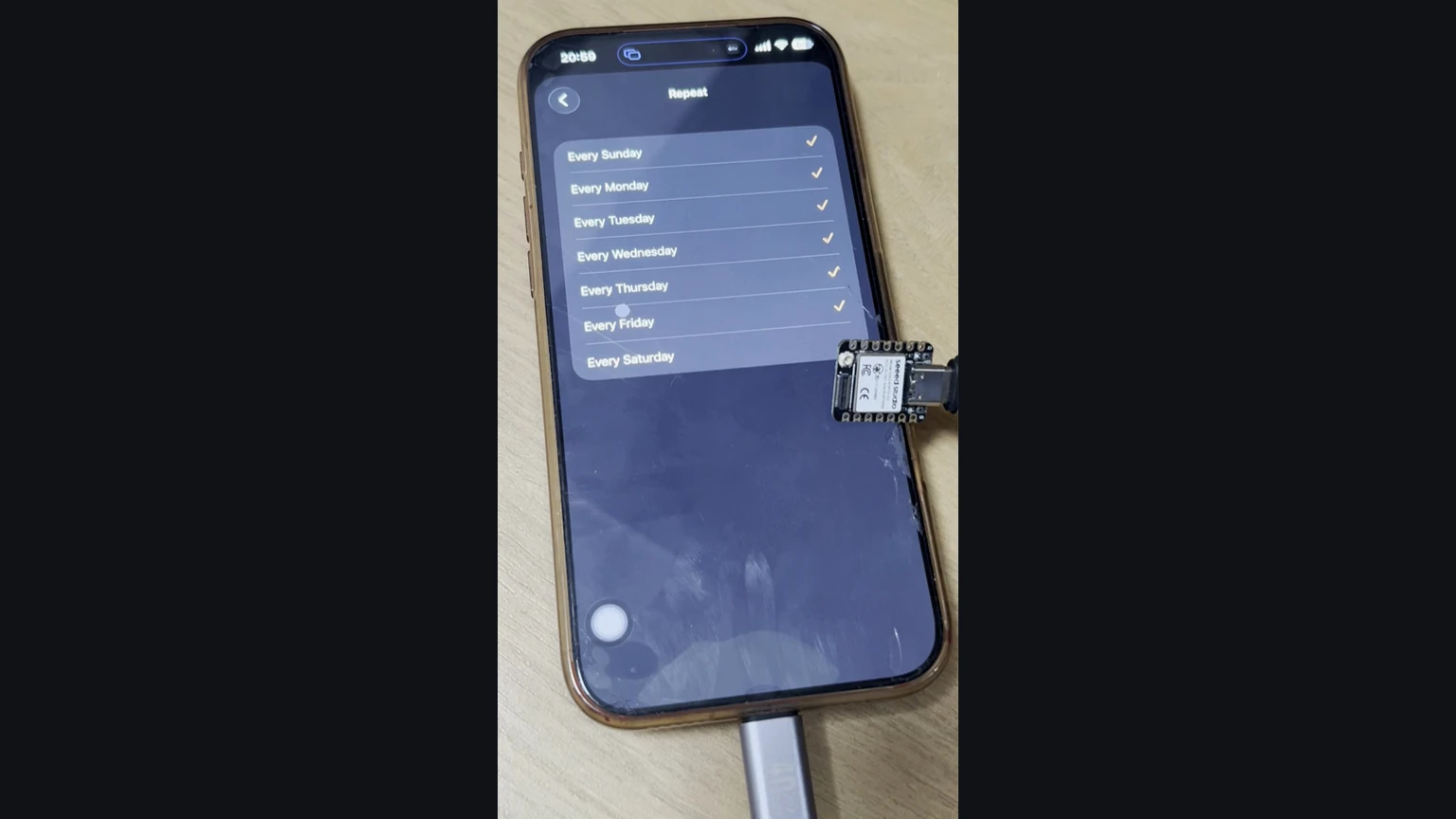
The demos are deliberately ordinary. The README shows the agent leaving its own app, opening Clock, scrolling the time wheel, ticking repeat days and saving an alarm; the app’s saved examples also include drawing a smiley face in a whiteboard app. That is the same observe-act-check loop described in our explainer on computer-use agents, applied to a locked-down consumer phone.
How does a $7 board give a model eyes and hands?
The project splits the job into eyes, hands and a brain. For eyes, the ESP32-S3 opens its own Wi-Fi hotspot and appears in the iPhone’s Screen Mirroring list as “ESP32 Agent.” It receives the H.264 video stream but does not decode it; it forwards the compressed stream to the companion app over Bluetooth LE.
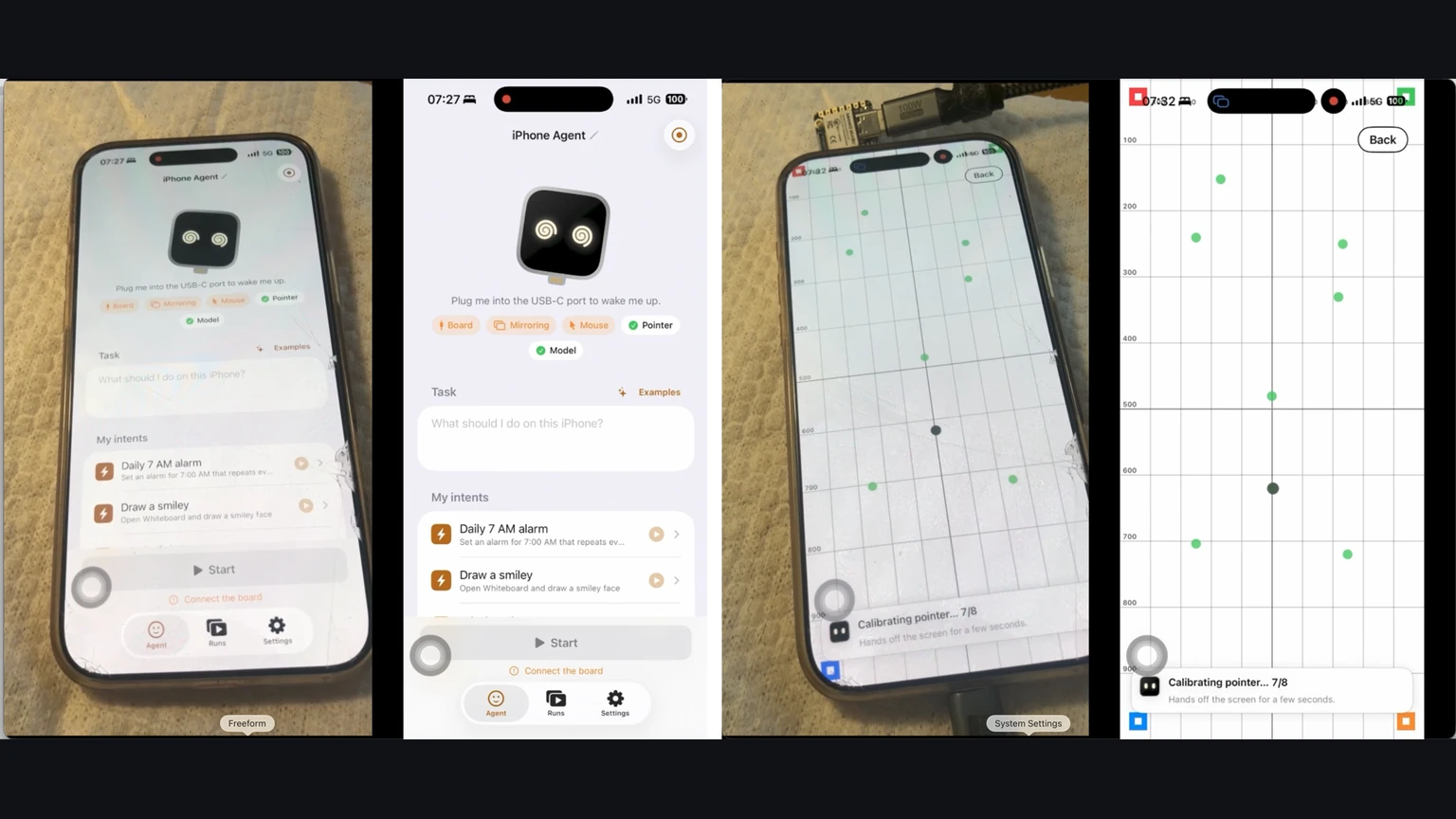
For hands, the board plugs into the phone’s USB port and presents itself as a standard mouse and keyboard. With iOS’s AssistiveTouch accessibility feature switched on, the mouse moves an on-screen pointer, so a click becomes a tap and a drag becomes a swipe. No private Apple interface is needed to touch the screen.
The brain is the iPhone app. It decodes the stream, sends screenshots to a vision-language model and runs a planner and an actor that choose among actions such as tap, swipe, draw, type, press keys, go home and finish. Because the pointer is relative, the app tracks where it should be, re-homes it in a corner and, before precise taps, wiggles it, finds it on screen and corrects the miss. After each action it waits for the screen to settle and tells the model whether anything changed.
Any OpenAI-compatible endpoint that accepts images will do, including vLLM, SGLang, llama.cpp, Ollama or a cloud API, and the planner and actor can use different models. The developer says the project was built with NVIDIA’s NVFP4 build of Qwen3.8-Flash-Next served on two DGX Sparks—the desktop machines covered in our DGX Spark pricing story.
What changed in the no-computer version?
The first tagged release, v0.1.0 on 14 October UTC, needed a Mac or Linux computer beside the phone. The computer ran UxPlay to receive the mirror and a Python server with a web interface for the agent, and talked to the board over Wi-Fi. Its release notes put a step at about 1.3 seconds and list portrait-only apps and ASCII-only typing as known limits.
A set of commits early on 15 October UTC removed the computer. The board now receives AirPlay itself and talks to the app over a documented Bluetooth LE protocol, and the agent runs on the same iPhone it controls. The legacy notes give the reason plainly: the computer was the hard part to carry around and set up. The old design remains on a legacy branch, and the two firmware builds are not interchangeable.
The app also gained conveniences a computer-tethered prototype lacked. Runs continue in the background with progress in the Dynamic Island, every run is stored on the phone for step-by-step replay with taps drawn on top, and Siri, Shortcuts, widgets and Control Center can launch saved tasks. If the board, hotspot or mirroring link drops, the run pauses and resumes from the same step.
What do you need to set it up?
The tested board is a Seeed Studio XIAO ESP32S3, the plain version with 8 MB of PSRAM rather than the Sense or Plus variants, which the README prices at about $7. Any ESP32-S3 with native USB on its USB-C port and PSRAM should work. The phone must run iOS 18 or later and have cellular data, because its Wi-Fi is taken by the board’s hotspot. USB-C iPhones plug in directly; Lightning models need Apple’s Lightning to USB Camera Adapter. The phone powers the board.
A Mac with Xcode is still required once: to flash the firmware with arduino-cli and to build and install the app. A free Apple ID can sign the app, but it has to be re-signed every seven days. A one-tap hotspot join needs Apple’s Hotspot Configuration capability, which requires a paid developer account; without it, the app shows the hotspot password to enter by hand.
Setup inside the app has four steps: pair the board over Bluetooth, join its Wi-Fi and start Screen Mirroring, switch on AssistiveTouch so the app can calibrate the pointer, and enter a model endpoint and key, which are stored in the iOS Keychain. The prompts that drive the planner and actor are plain text files in the repository, so changing the agent’s behaviour means editing them and rebuilding.
How does it compare with other ways to automate an iPhone?
The README lists related work and is candid about the overlap. VersaiOS also combines UxPlay mirroring, an ESP32-S3 Bluetooth mouse and a vision model, but needs a computer. Another project, phone-agent, already runs the agent as an iPhone app with an ESP32 Bluetooth mouse; the author calls it the closest match and says this version adds the eyes by putting AirPlay on the board. Other approaches use HDMI capture hardware or Apple’s CoreDevice debug channel, which needs Developer Mode.
Tools built on WebDriverAgent and XCUITest, such as mobile-mcp and Midscene, are more precise because they can read the interface’s structure, but they need a Mac and code signing. Phone makers are also building agents into the operating system: OPPO’s ColorOS 17 Agent Mode is one example. ESP32 iPhone Agent sits at the other extreme: it sees only pixels and acts only through accessibility input, which makes it slower and clumsier but works on any app the phone will mirror.
What are the limits and the risks?
The bottleneck is the radio link. Bluetooth LE carries roughly 300–500 kbps, so the screen is mirrored small—480×1040 at no more than five frames per second—and each step takes a few seconds, most of it spent waiting on the model. iOS refuses to mirror some screens, including passcode entry, Apple Pay and DRM-protected video, so the agent cannot see them, and mirroring stops when the phone locks. Landscape apps and non-ASCII text are not supported yet.
The app currently leaves itself using a private iOS API, which the developer says is fine for a self-built app but would have to be replaced before any App Store release. There is no App Store or TestFlight version; you build it yourself.
Security deserves attention because the agent acts with your hands and your logged-in accounts. The board pairs using Bluetooth LE Secure Connections with “Just Works” bonding, and the network settings characteristic requires an encrypted link. The project’s security policy puts the BLE service, hotspot, AirPlay receiver and anything that could make the agent act without the user starting it in scope, and asks for private reports. The README’s own advice is the right default: automate only devices and accounts you own, watch the agent, and keep the stop button within reach. We read the code and documentation but did not build or run it.
Common questions
Does ESP32 iPhone Agent need a jailbreak or Developer Mode?
No. It uses Screen Mirroring for input and a USB mouse and keyboard with AssistiveTouch for output. You do need a Mac with Xcode once to flash the board and build the app.
Which AI model does it use?
Any OpenAI-compatible chat endpoint that accepts images, local or cloud. The developer built it with an NVFP4 build of Qwen3.8-Flash-Next on two DGX Sparks.
Can it enter passcodes or pay with Apple Pay?
No. iOS does not mirror passcode entry, Apple Pay or DRM video, so the agent cannot see those screens, and mirroring stops when the phone locks.
Sources & further reading
How this story was made
Written by Kristian Kostov with AI assistance and checked against the linked sources. Company performance claims are attributed to the company. Analysis reflects AiLookout’s interpretation; we have not independently tested the products discussed. The cover is a cropped example output published by the developer in its openly licensed repository, credited in the caption. It is not an AiLookout test or screenshot.
Our editorial standards