Announced 12 Oct 2026 · Sources checked
What did OpenCode announce on 12 October?
Anomaly, whose GitHub organization anomalyco hosts OpenCode, published a note titled “OpenCode 2.0” on 12 October 2026. It calls 2.0 “a major overhaul” that draws on “millions of daily users’ experience”, a usage figure the company does not break down. The OpenCode repository is MIT-licensed and had about 213,000 GitHub stars when we checked.
The packages are not brand new. npm shows @opencode/cli 2.0.0 published on 11 September 2026, and the 2.x line had reached 2.0.27 by 04:15 UTC on 12 October. What changed this weekend is the upgrade path. Version 1.19.0, released on 11 October, added “opencode upgrade --major” to move to OpenCode 2 and stopped installing updates automatically; the /update command in the terminal now installs updates or upgrades on request.
So 2.0 is the official upgrade, but nobody is moved onto it silently. The long-standing opencode-ai npm package still tagged 1.19.0 as latest when we checked, and the GitHub releases page still lists only 1.x releases.
What is Code Mode?
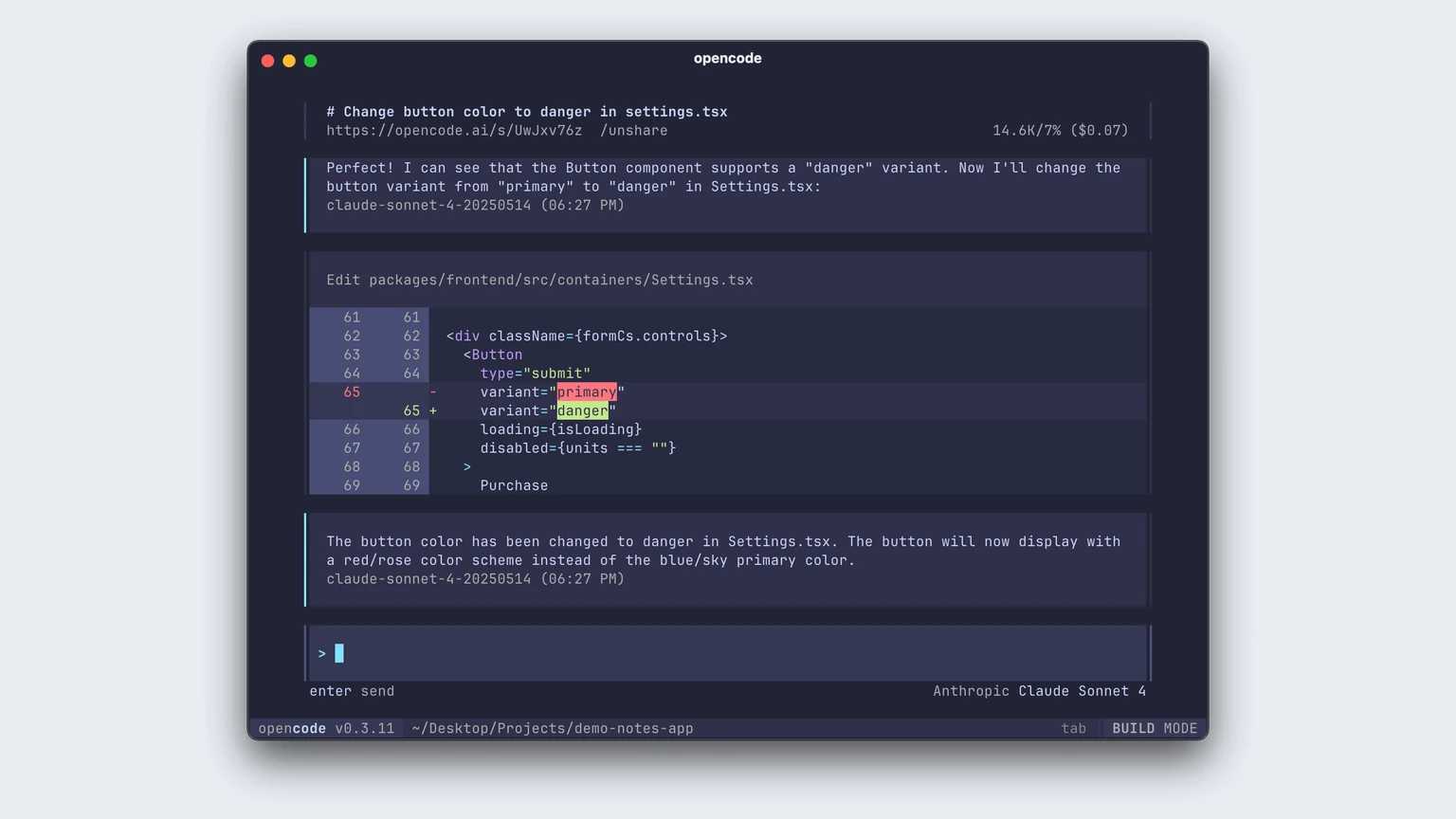
Code Mode is OpenCode’s answer to tool sprawl. Instead of calling MCP tools one at a time, each call consuming a model turn and context, the agent writes a short JavaScript program that calls several tools, maps over results and returns the answer in one round trip. Our explainer on MCP tools versus resources covers the protocol underneath.
The @opencode/codemode package contains a minimal JavaScript interpreter built for this. It ingests MCP servers or OpenAPI endpoints and turns them into functions, and Anomaly says it runs those scripts “natively without the complexity of Node.js VMs or embedding complicated solutions like QuickJS.” The note’s example lists open bug issues from GitHub and files each as a Linear issue in a single script.
All MCP servers are opted into Code Mode by default in 2.0. Anomaly claims this means “you can add a thousand of them with minimal context bloat” because the agent searches for and composes tools instead of loading every definition up front. That is a vendor claim; it has not published measurements.
Running model-written code against many connected services also widens the blast radius of a bad tool call, a risk shown by recent research on agent frameworks executing attacker-written tool calls. OpenCode’s ordered permission rules are the control to review before connecting sensitive servers.
What else is new: background tasks, plugins and the SDK?
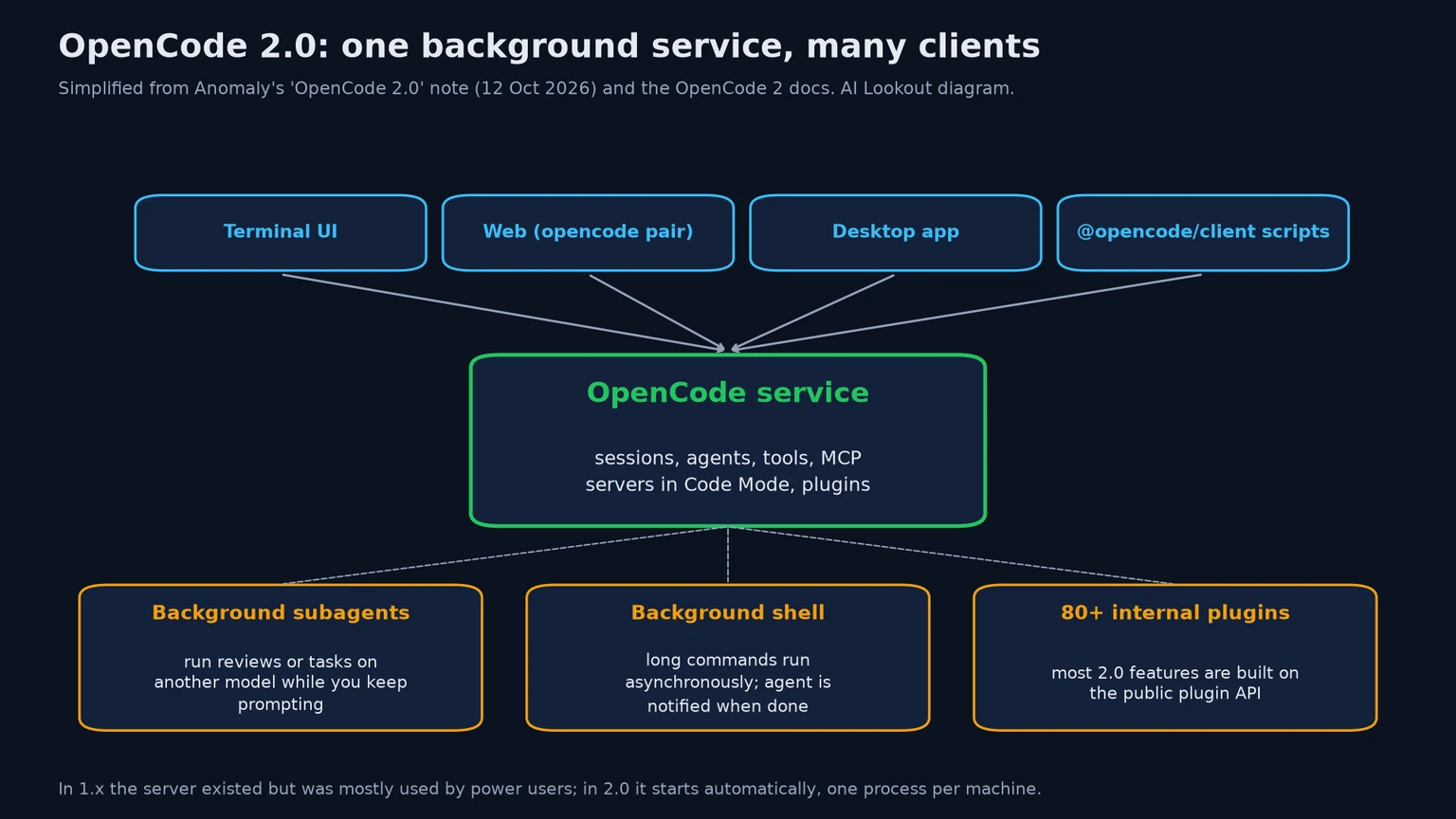
Background work is the second big change. The primary agent can hand a task to a background subagent, automatically or on request and even on a different model, and keep working; Anomaly’s example asks to “spawn a background fable subagent to review this code.” Shell commands can also run asynchronously, with the agent notified when they finish, and a hotkey, Ctrl+B in the demo, moves a slow foreground command or subagent into the background.
Plugins were rebuilt. Anomaly says it implemented nearly every 2.0 feature as an internal plugin, more than 80 of them, to force the plugin API to stay maintained. Terminal UI plugins, built on its OpenTUI library, moved from experimental to stable, and most things can be hot-reloaded, so OpenCode can write a plugin for itself mid-session and use it immediately.
OpenCode can also be embedded. The @opencode/sdk package is the same code that runs the CLI, so teams can strip it down and run their own flavour on a server or in environments such as Cloudflare Durable Objects, and connect any OpenCode client to it through the standard server protocol. An optional Effect-based API is still in development.
How do you upgrade, and what breaks?
To upgrade the CLI, update to the latest 1.x release and run “opencode upgrade --major”; the desktop app needs a fresh download. The migration guide says OpenCode 1 and 2 share the opencode command and are no longer installed side by side, so a package-managed V1 install should be removed first.
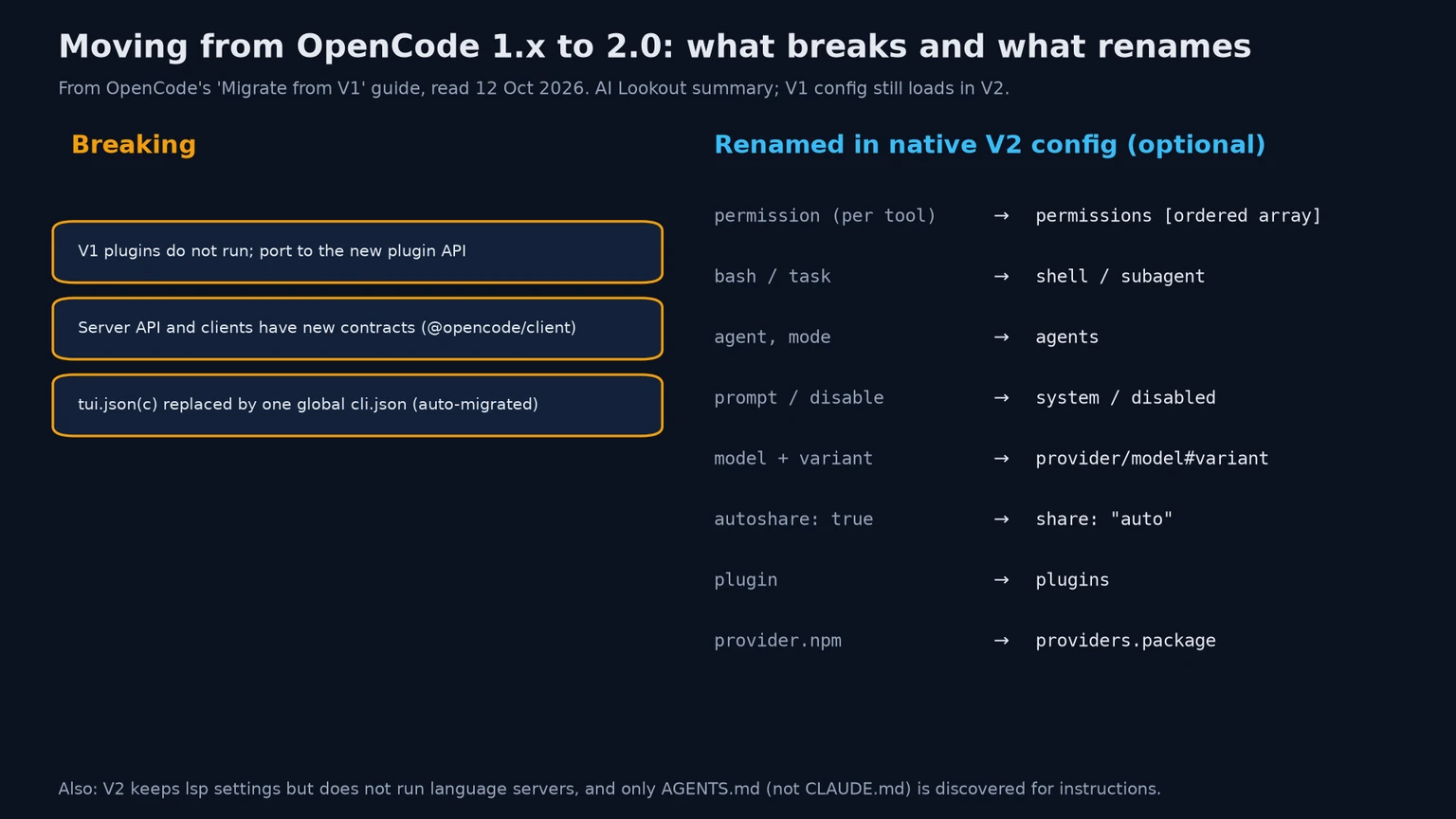
There are three intentional breaking changes: V1 plugins do not run and must be ported to the new plugin API; the server API and clients have new contracts; and per-project tui.json files are replaced by one global cli.json, migrated automatically on first start. Existing opencode.json files, agents, commands, skills and MCP settings are meant to keep working, and the guide asks users to file a compatibility bug if they do not.
The native V2 config format is optional but renames a lot: per-tool permission maps become one ordered permissions array, bash becomes shell, task becomes subagent, and model variants join the model name after a # sign. The guide suggests asking OpenCode itself to migrate the files and keeping a copy of the V1 setup during the switch.
Two gaps stand out. V2 accepts and preserves LSP settings “but it does not run language servers, expose LSP tools, or produce LSP diagnostics”, so teams relying on those should use lint, typecheck or compiler commands instead. And V2 discovers only AGENTS.md for instructions, not a CLAUDE.md fallback.
Why does OpenCode 2.0 matter for coding-agent users?
The release shows coding agents turning into platforms rather than chat windows in a terminal. Anthropic is moving the same way with Claude Code Projects, and OpenCode’s answer is an open-source, local service that any client or script can drive, with models from many providers. Services such as Together Link already route open models into these harnesses.
For individual developers the practical gains are background subagents and shell jobs, which cut waiting, and one session shared across terminal, browser and desktop. For teams the bigger change is the API: scheduled reviews, CI jobs and internal bots can now talk to a supported client package instead of an ad hoc server.
The cost lands on the ecosystem. Every V1 plugin and every tool that called the old server API has to be ported, and 1.x keeps receiving updates while that happens. That is why the opt-in upgrade and the end of silent auto-updates matter as much as the features.
What is still unclear?
Several claims rest only on Anomaly’s word, including the usage figure, the context savings from Code Mode and the statement that 2.0 uses code generation “more than any other coding agent.” We have not tested 2.0.
Packaging is still settling. The 2.x CLI ships as @opencode/cli while the older opencode-ai package stays on 1.19.0, the docs say Windows package managers are not supported, and the 2.x versions have no GitHub release entries. Docker images use versioned tags such as ghcr.io/anomalyco/opencode:2.0.0.
A sensible rule: individual users can try 2.0 now with a backed-up config, while teams that depend on plugins, the old server API or LSP diagnostics should stay on a pinned 1.19 build until their integrations are ported.
Common questions
Will OpenCode upgrade me to 2.0 automatically?
No. Since 1.19.0, released on 11 October, updates are no longer installed automatically. You move to 2.0 by running “opencode upgrade --major” from the latest 1.x release or by choosing it via /update.
Do my existing OpenCode settings still work in 2.0?
Mostly. Existing opencode.json files, agents, commands, skills and MCP servers are meant to keep working. V1 plugins, server-API integrations and tui.json settings change, and LSP features are not run.
Is OpenCode 2.0 free and open source?
The code is MIT-licensed on GitHub. You still pay for whichever model provider you connect, or for optional OpenCode subscriptions such as OpenCode Go.
What to remember
OpenCode 2.0 turns the open-source coding agent into a shared local service with scripted MCP tool calls and background work. The upgrade is opt-in, and plugins, server-API integrations and LSP-dependent workflows need attention before teams switch.
Sources & further reading
How this story was made
Written by Kristian Kostov with AI assistance and checked against the linked sources. Company performance claims are attributed to the company. Analysis reflects AiLookout’s interpretation; we have not independently tested the products discussed. Cover photography is illustrative and does not depict the specific announcement or product.
Our editorial standards